20/08/2013

HOW to Install Windows 8

After the Windows 8 or Windows 8 Pro upgrade has downloaded to your PC, you have a few choices for how and when you want to install it.
  • Install now or install later
    For most people, we recommend choosing Install now for the smoothest upgrade, but Install later from your desktop is fine too. If you choose to install later, a shortcut will be created on your desktop so you can install the Windows 8 or Windows 8 Pro upgrade when it's convenient for you.
  • Install by creating media
    The other option, Install by creating media, is an advanced installation option that requires a USB flash drive or a blank DVD. This option isn't available for PCs running Windows XP SP3. We only recommend this installation option for people who need to install in a virtual environment, install as a dual-boot configuration, or need to install Windows 8 on a separate PC.
    If you decide to install using media, you need to install Windows 8 on a PC that's already running Windows, and follow the instructions on how to perform a clean installation of Windows 8. If you don't follow these instructions, you won't be able to activate your PC later.
Whether you install now or wait until later, Windows Setup will get your PC ready and check for any final things you need to do before actually installing. Take care of each of the items on the list, in order. As you complete each item, the list will automatically refresh.
Once you’re done, you’ll be ready to install the upgrade. You’ll see a recap of what you’ve decided to do. If you need to change anything, click Back, but if you’re ready, click Install.
Your PC will restart several times while Windows 8 is installing. If your PC is currently running Windows 7, your files, apps, and settings will easily transfer to Windows 8. If your PC is running Windows XP or Windows Vista, you'll need to reinstall your apps after you upgrade. 

Personalize screen, where you can choose your colors

How to perform a clean installation of Windows 8

 You can perform a clean installation of Windows 8—which typically means formatting your hard drive before installing Windows—using upgrade media, but you need use the Windows 8 Setup program to reformat your drive. You also must have a previous version of Windows running on the PC—you can't install on a bare drive.

To perform a clean installation using a DVD or USB flash drive

If you bought Windows 8 on DVD or created a DVD or USB flash drive when you downloaded Windows 8, follow these steps to perform a clean installation.
  1. Turn on your PC so that Windows starts normally, insert the Windows 8 DVD or USB flash drive, and then shut down your PC.
  2. Restart your PC.
    If you restart your PC and your current version of Windows starts, you might have to change the boot order in your PC's BIOS settings so that your PC boots from the media. To get instructions on changing the boot order for your PC, check the documentation that came with your PC or go to the manufacturer's website.
    To change the boot order, you'll generally press a combination of keys (such as F2, F12, Delete, Esc) immediately after you turn on your PC. If your current version of Windows still starts, try again by waiting until Windows asks you to sign in, and then restart your PC again.

  3. On the Install Windows page, enter your language and other preferences, and then click Next

  4. On the Please read the license terms page, if you accept the license terms, click I accept the license terms, and then click Next

  5. On the Which type of installation do you want? page, click Custom

  6. On the Where do you want to install Windows? page, click Drive options (advanced)

  7. Click the partition that you want to change, click the formatting option you want to perform, and then follow the instructions.

  8. When you've finished formatting, click Next

  9. Follow the instructions to finish installing Windows 8.

Samsung Galaxy Mega hits the United States


AT&T will get started with the Mega on Friday, August 23. The phone will sell for $149.99 under the standard two-year agreement or $24 a month under the AT&T Next installment plan.
Sprint doesn't seem to be in such a rush. The carrier said that it will offer the phone later this year under its unlimited 4G LTE data plans.
A spokesperson for U.S. Cellular, meanwhile, told CNET that the carrier would offer the Mega to customers in the coming weeks but didn't reveal a specific launch date.
The Galaxy Mega's huge screen offers an HD Super Clear display with a resolution of 1,280x720 pixels. Equipped with Android 4.2.2 Jelly Bean, the phone has a dual-core 1.7GHz processor, 1.5GB of RAM, and 16GB of internal storage. Users can expand the capacity to 64GB with an external microSD card. An 8-megapixel camera graces the rear.
Mega buyers can choose either nova black or polaris white as the color.
The U.S. is playing catchup with the Mega as the phone has already been available in Europe, Russia, and Samsung's home base of South Korea.

HTC One Developer Edition to jump directly to Android 4.3


HTC will skip the Android 4.2.2 Jelly Bean update for the HTC One Developer Edition and jump straight to the 4.3 release.

Jason Mackenzie, HTC's president of global sales, recently took to Twitter to address concerns about timely software updates for the HTC One Developer Edition. Specifically, he was asked why Verizon's HTC One will launch with 4.2.2 Jelly Bean yet the developer-centric model is still running 4.1. The reason, Mackenzie says, is that "Android 4.3 is so close" and that the 4.2.2 is a "minor update" that offers "limited customer benefit."
It is not immediately clear just how far off the update truly is for the HTC One Developer Edition. The Google Play version of the HTC One picked up the 4.3 release only days after its formal introduction. In the meantime, select international models of the HTC One have been updated to Android 4.2.2. In other words, it's somewhat of a mixed bag. Ideally, HTC will push the AT&T, Sprint, and T-Mobile versions of the HTC One to 4.3 at the same time as the Developer Edition.

Ferrari 458 Speciale: More of everything (except weight)


A third variation of the 458 Italia is soon to be upon us. The 458 Speciale is a hard-core, focused version of the already rapid Ferrari supercar.
Let's start with the numbers. The 458 Speciale boasts the same 4.5-litre V8 as the standard car, but it's been given a 35 bhp power hike and puts out 597 bhp. Some basic maths tells us that it puts out 133 bhp per litre, which is more than any naturally aspirated engine before it.
Extra power means extra speed; the 458 Speciale will now hit 62 mph from rest in 3 seconds, down from 3.4 in the "lesser" models. It goes 0-124 mph in just 9.1 seconds, which in more realistic terms is the amount of time it takes a Mini Cooper to hit 62 mph. Damn.
Ferrari hasn't released a top speed as of yet, but it's safe to say it'll best the "base" model's 202 mph by some margin. However, the Italian firm has said it's 1.5 seconds faster around its test track than an Enzo and only half a second off the F12 Berlinetta's pace. Again: damn.
Its speed comes not only from its power but also its tweaked aerodynamics. Gone are the entry-level car's bendable wings, in are two massive air dams. There are wings on the side of its chin to smooth airflow over the front wheels and another set at the back to calm the wind rushing over the rears.
Ferrari has replaced the smooth bonnet with a pretty massive scoop, which means the boot underneath is probably now only suitable for a spare pair of pants and some wet wipes for a passenger.

Linda Ikeji on the Teju BabyFace Show

I was a guest on the Teju Babyface Show yesterday and I had a blast sitting on that chair, talking with the host, interacting with the audience and looking hot! Hehe. The show will air in the coming weeks. I'm hoping to one day be a talk show host BUT I need to work on my self confidence and brush up on my English first before I even dare go on TV.

Nedu of Wazobia FM and wife welcome son

 
Wazobia FM OAP, Ani Chinedu Emmanuel, popular known as Nedu, and his wife, Uzoamaka Ohiri welcomed a son today Tuesday August 20th. Nedu and Uzo tied the knot in May.

Kanye West appears on the Kris Jenner show

Kris Jenner's show 'Kris' is a miss in ratings. Since its debut in July, the show has been averaging about 202,000 viewers nationwide, according to Nielsen, which is really low compared to other talk shows. Ellen for instance averages more than 2 million viewers every day. Anyway, Kanye has come to her rescue by making an appearance on her show. An interview a lot of people would want to watch


A source confirms to Us Weekly that Kanye West has taped an appearance on Kris, where he talked about his relationship with Jenner's daughter Kim Kardashian and their 2-month-old baby girl, North.
West, 36, taped his special interview with Jenner, 57, in Culver City, Calif. on Monday, Aug. 19. The insider tells Us the rapper is "really bringing it" for the interview and opens up about the baby, living with Kris Jenner, his relationship with the press and love for Kardashian.
West even joked that he's been "so in love" with Kim, whom he began dating in April 2012, that he thought about "playing sports." (Kardashian, 32, was previously married to NBA player Kris Humphries and dated NFL player Reggie Bush.)
Kanye's appearance will air on Friday August 23.

16/08/2013

Glo launches Bounce for Nigerian youths

Globacom has introduced Glo Bounce, a special product designed to deliver superior value to Nigerian youths. 

Speaking at the launch of the product in Lagos on Saturday, August 12, Globacom’s General Manager, Consumer Marketing, Ashutosh Tiwary, said that the new product offers many benefits to young subscribers on the Glo network. The benefits include special call rates on campuses, free data, free ring back tunes, zero Facebook and unlimited free SMS.

Oyo State Govt appoints Tillaman as Youth Musical Ambassador

On Monday, 12th of August 2013, the Oyo State Governor, Senator Abiola Ajimobi awarded pop artiste, Tillaman the ambassadorial title, Oyo State Youth Musical Ambassador, at the International Youth Day celebration organized by the Oyo State Agency for Youth Development.

The event which took place at the Cultural Centre in Ibadan and was attended in great numbers by the youth in the state, saw musical performances from artistes like Chuddy K and Konga who came to support Tillaman. Fuji artiste Obesere also got an award from the Oyo state government as well.

PHOTOS: Man Electrocute Himself To Death In Kenya

A 25-year-old man committed suicide on Thursday morning by electrocuting himself on an overhead power line in Nakuru, Kenya.
According to an eyewitness, Susan Wachuka, the young man removed all of his clothing before climbing the transmitter line.
“We thought it was usual of him to undress,” she said.
The man, who was only identified by the locals as Emmanuel, is said to have been a carpenter who was having mental problems, adding that he was always quiet.
Kenya power staff arrived at the scene but were forced to wait for crime police officers for three hours before removing the body.
The workers were forced to switch off power at the zone so as to retrieve the body from the power lines.
See photos below…

Featured post

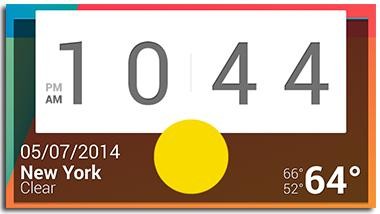
10 Awesome Widgets to Try on Your Android Phone.

One way Android remains unique from other popular mobile phone operating systems is its embrace of app widgets. Widgets on your home screen...